
Geotab tells you where every vehicle is, how far it has driven, and how the engine is performing. Your fuel cards tell you what fuel was bought, where, and when. Apart, neither can confirm whether a fuel transaction was legitimate. Connected through Fleevo, every fill is checked against the vehicle that supposedly made it, so fraud surfaces and your full fuel spend finally sits in one view. Here is how Geotab fuel card integration works.
Why Connect Geotab With Your Fuel Cards?
A fuel card statement on its own cannot tell you if a purchase was genuine. A large diesel fill looks normal until you know the Geotab-tracked vehicle was 30 miles from the station at the time, or that its tank holds far less than was purchased. Geotab supplies the missing half of the picture: GPS location, odometer, and engine data at the moment of each transaction. Matching the two turns a list of charges into verifiable events, and turns scattered fuel data into full spend visibility.
What Data Does Geotab Provide?
- GPS location: where each vehicle was, second by second, from the Geotab GO device.
- Odometer and mileage: for cost-per-mile and fuel-economy checks.
- Engine and fuel data: consumption and fuel level to compare against the volume purchased.
- Driver ID: who was assigned to the vehicle at the time.
Detecting Fuel Fraud With Geotab Data
Once Geotab data is matched to fuel card transactions, the patterns that hide between separate systems surface on their own:
- Location mismatch: a fill where the vehicle was nowhere near the station.
- Volume over tank size: more fuel bought than the vehicle could hold, a classic sign of filling a can or a second vehicle.
- Wrong fuel type: the wrong grade for the vehicle.
- Card sharing: repeat or overlapping transactions one vehicle could not have made.
Full Fuel Spend Visibility
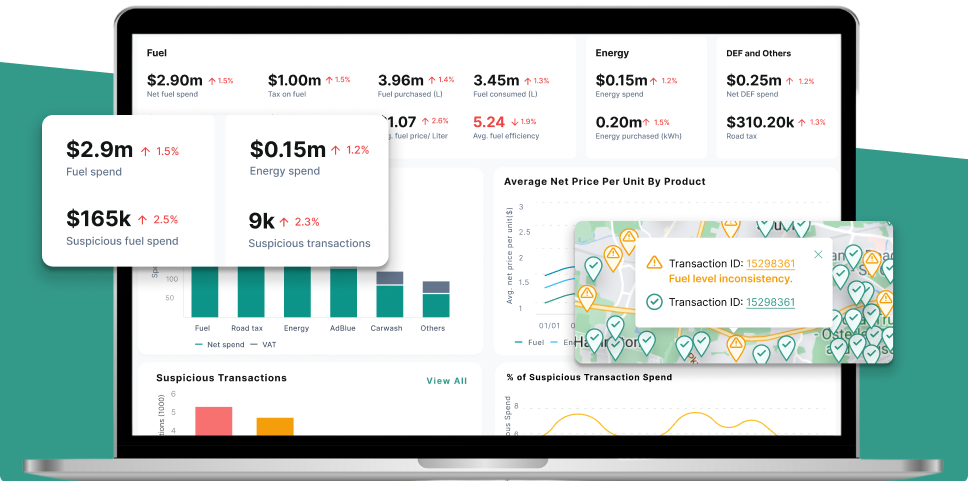
Beyond catching fraud, connecting Geotab and your fuel cards gives one clean view of all fuel spend across the fleet: cost per mile by vehicle, consumption trends, premium-fuel purchases, and off-network stations. Instead of reconciling a card portal against a telematics dashboard by hand, you see the whole fuel picture in one place.
How to Connect Geotab With Your Fuel Cards
- Connect Geotab. Authorize access to your MyGeotab account through its API. No new hardware is required beyond the Geotab GO devices you already run.
- Connect your fuel cards. Link each provider directly, or import the statements they email.
- Match transactions to vehicles. Every fuel transaction is lined up with the Geotab vehicle's location and odometer at that time.
- Review the exceptions. Only genuine mismatches are flagged, with location and transaction detail attached.
See the Geotab integration page to connect it to Fleevo.
#1 AI-powered fleet spend control platform
Ready to Stop Losing Money on Fleet Spend?
See how much you could save in the first week. Start your free trial today. Cancel anytime.
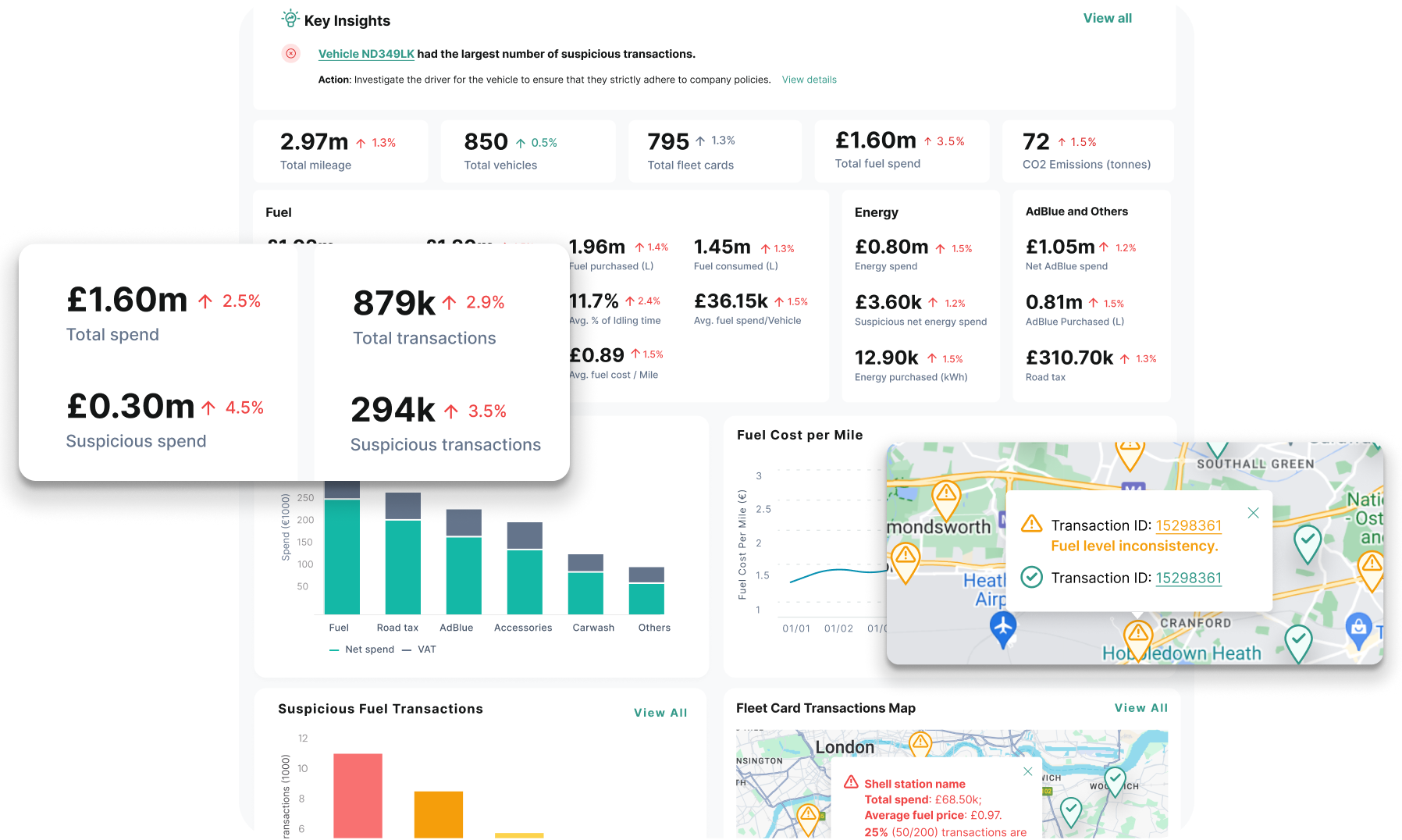
How Fleevo Connects Geotab and Your Fuel Cards
Fleevo integrates Geotab alongside the fuel cards, onsite tanks, and other systems you already use, with no new hardware. It pulls Geotab location and vehicle data, matches it to every fuel transaction automatically, and flags fraud, wrong-fuel fills, card sharing, and premium-fuel waste, while giving you one live view of total fuel spend. Because the checks run continuously, you review a short exception list instead of reconciling statements by hand. It works the same way with other telematics providers, so a mixed estate stays in one view.
Geotab Fuel Card Integration FAQs
Do I need new hardware to connect Geotab and my fuel cards?
No. Geotab connects through its API using the GO devices you already run, and fuel cards connect directly or by statement import. There is nothing new to install.
Which fuel cards work with Geotab?
Any major fuel card can be matched to Geotab data given the right connection, including Shell, WEX, Voyager, BP, and others. The card and the telematics do not have to come from the same supplier.
How does connecting Geotab detect fuel fraud?
By comparing each fuel transaction to where the Geotab-tracked vehicle actually was, and to how much its tank holds. Location mismatches, over-tank volumes, wrong fuel grades, and card sharing all become visible once the two data sets are matched.
Related: Fuel Card Integration: How It Works for Fleets and Fuel Card Fraud: How to Detect and Prevent It.
Explore the platform: Fuel & Energy Management.